
Virtual Precision Clock
13 May 2026Progress: Complete
Clocks... clocks! Lately I have built so many precision clocks that my brain has rewired into a clock-building machine. I breathe in clocks and I dream of the racing red digits.
It's not like I'm complaining about its popularity, but the increasingly long waiting list combined with my inability to delegate has made the clock production a round-the-clock endeavour.
I decided it was time for a break. Something different, a relaxing weekend making something purely for fun. I am, it seems, in the tiny minority of people who actually enjoy writing software. Furthermore I enjoy writing vanilla javascript. Nothing calms my nerves quite like staying indoors and fervently hammering out some JS.
Ideas, like little golden particles racing down from the cosmos, sometimes pierce my withered neurons and trigger a chain reaction. When this happens I find it best to run with it and ask questions later. What I'm trying to say is that I spent my "not doing clocks" weekend creating a virtual precision clock.
Before you get too excited, this is a toy and is nowhere near as accurate as the real thing. The precision is purely decorative. But for those of you yearning for one, here's a simulated a Precision Clock Mk IV for comfort.
Now let me recount the tale...
Modelling
It occurred to me that I didn't have an accurate 3D model of the clock. KiCad can export the PCB, but that depends on you having set up 3D models for all the components. The libraries have recently switched to keeping everything as STEP files, which is probably a good thing, so I started by switching all the generic components over to their STEP equivalents.
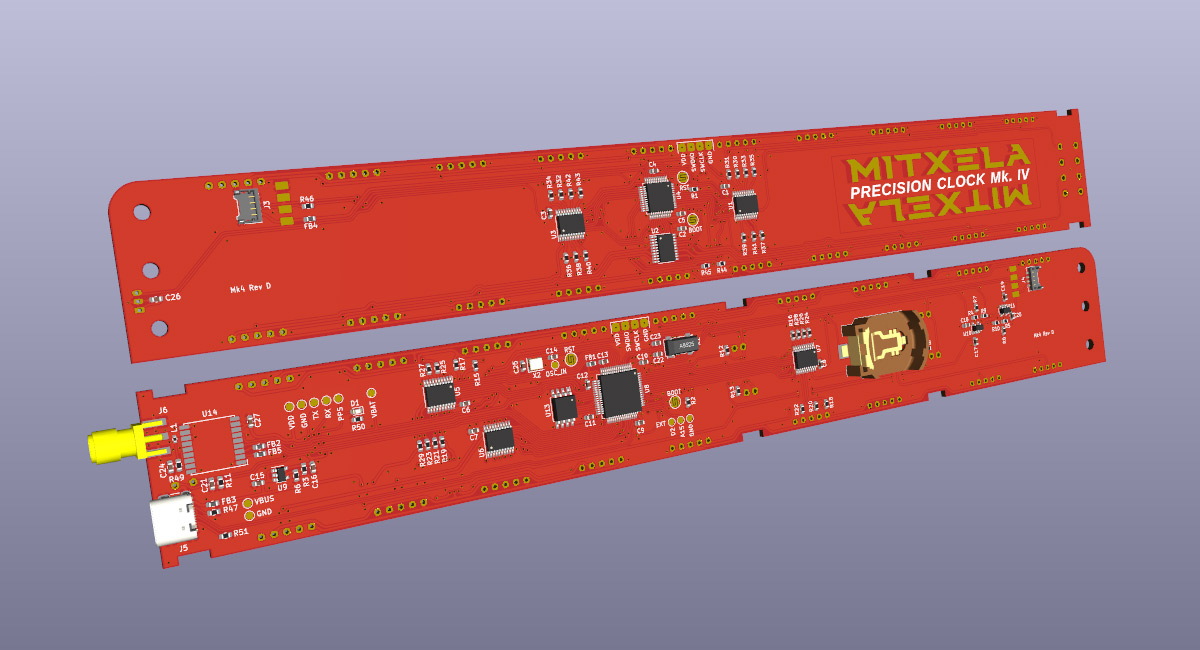
If the reader is not familiar, STEP files are boundary-representation, very useful if you want to edit the model later, as opposed to mesh files building everything out of triangles.
The 7-segment displays I originally modelled in OpenSCAD, back in 2018, importing the thing into Wings3D to set the colours as was customary at the time. The git history tells me that in 2021 I recreated the models by importing the OpenSCAD code into FreeCAD and somehow producing a step file as a result. All I can remember is pain.
Anyway, there are slight differences between 7-segment displays from different manufacturers, so chasing an "accurate" one is a fool's errand. For now I lazily tweaked things so that the positions were symmetrical.
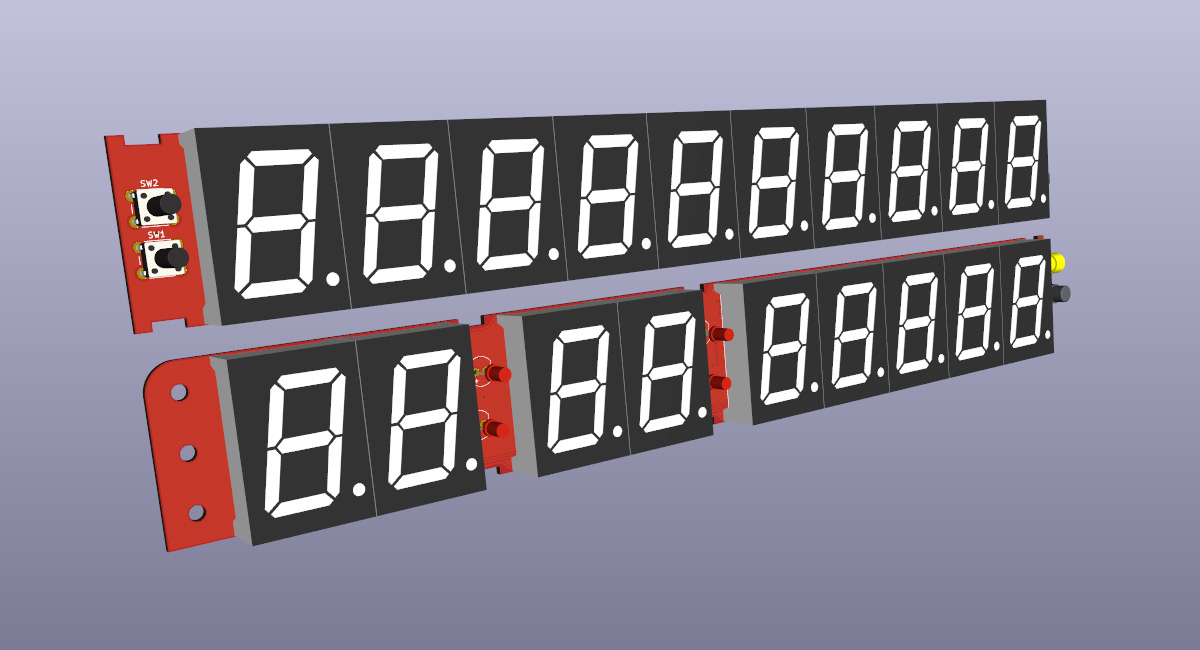
I also modelled the phototransistor, just finding a 5mm LED model and flattening it in FreeCAD.
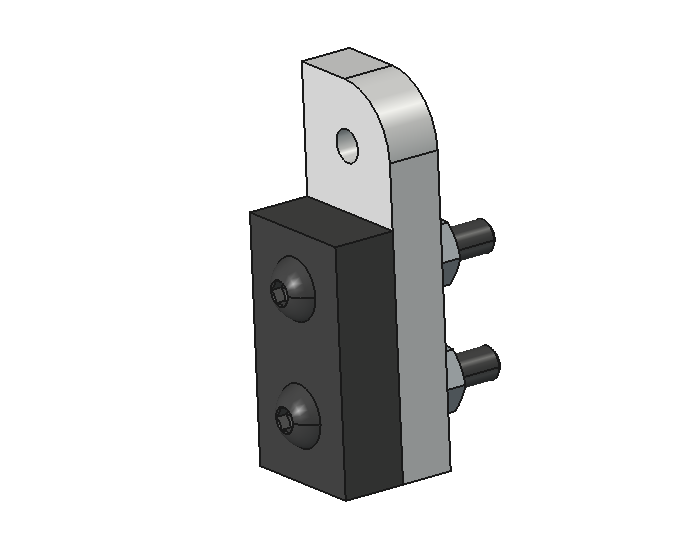
The next "step" is to bring in the 3D printed and laser-cut parts. I created some basic footprints, just on the Fab layer, to represent these.
The laser-cut vector files were imported into FreeCAD and extruded. I used the Fasteners workbench (an addon) to bring in some nuts and bolts. Overall, it wasn't too difficult, and it only occasionally crashed!
And so, sooner than anticipated I had an almost-up-to-date model of the clock.
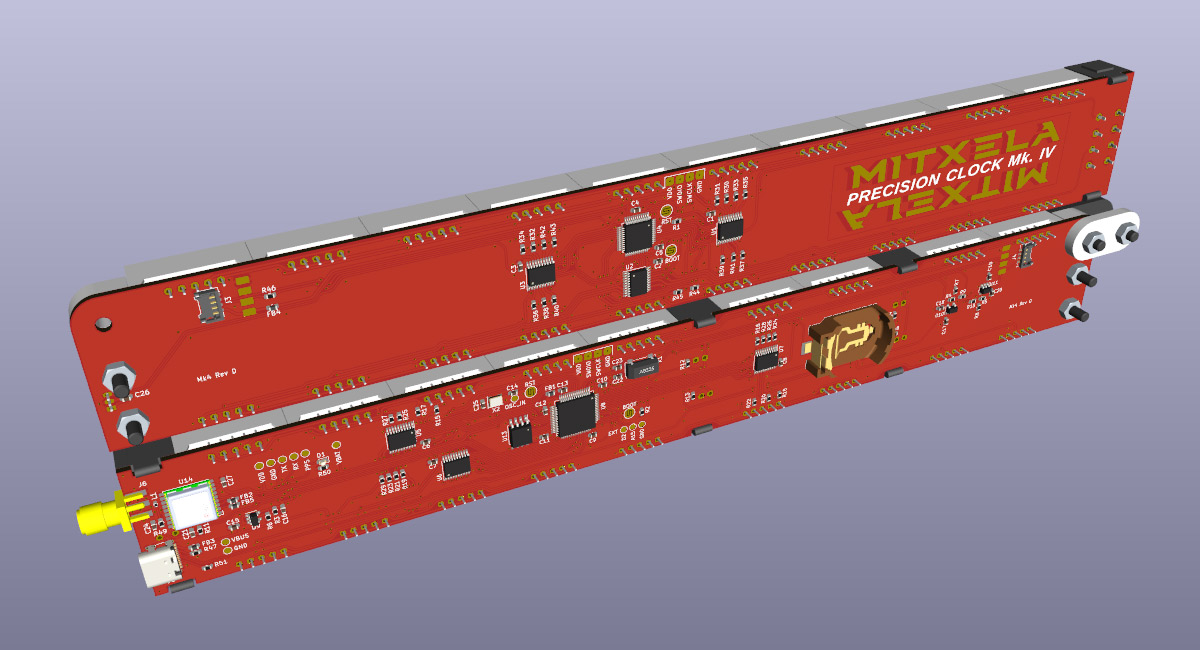
To get the full model, we could just translate and rotate the pieces so the hinge links up before exporting from KiCad. If they butt up completely the board outline fuses but we can add a micron of gap if needed. But really, wouldn't it be better if the hinge was functional?
Assembly
FreeCAD 1.1 has brought with it a whole load of improvements so I was keen to try them out on something pointless. The assembly workbench has seen a lot of work.
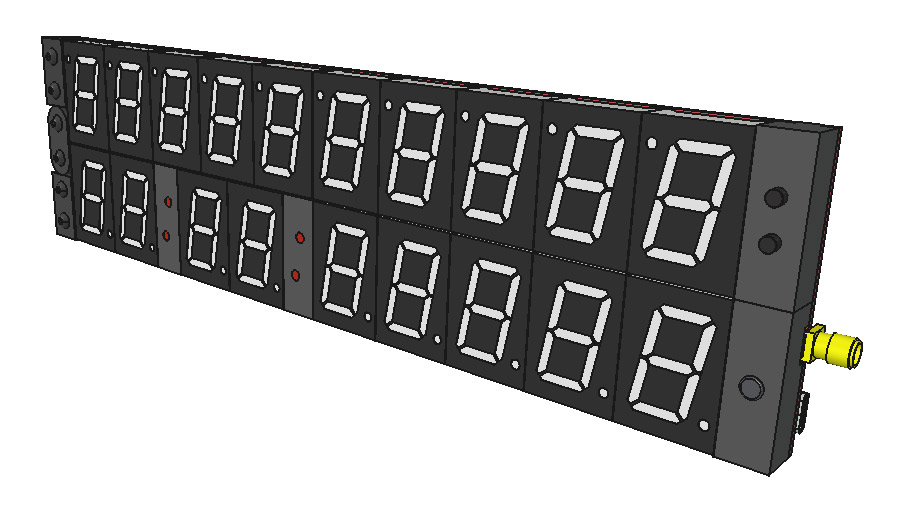
Two revolute joints were used to snap things into place.
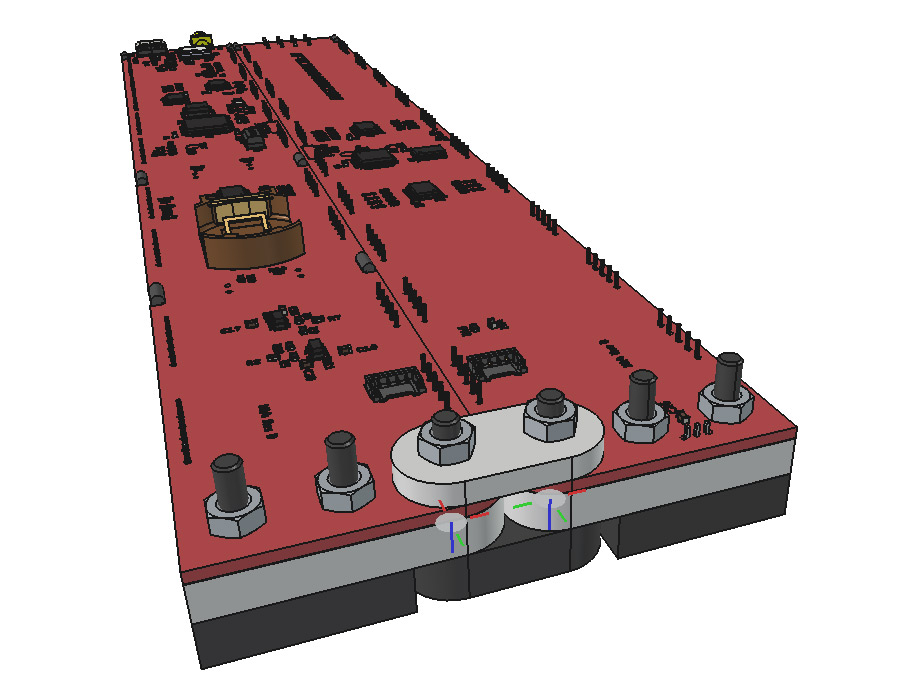
I didn't model the cable that goes across the hinge. In Fusion 360 I'd have attempted it, but here I think we need to be realistic.
The assembly functions. I entered angle limits for the joints and we can fold and unfold the clock.
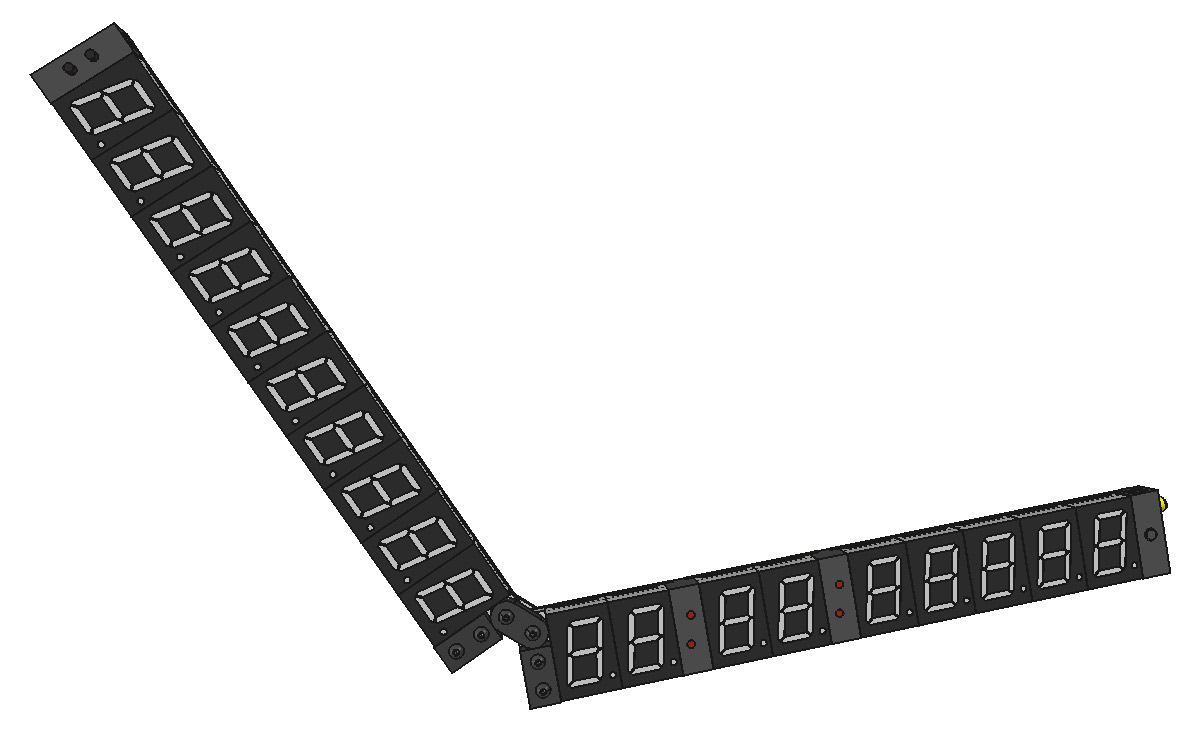
Unfortunately, the double-link of the hinge seems to cause the solver some confusion. Near the ends it snaps wildly between folded and unfolded positions.
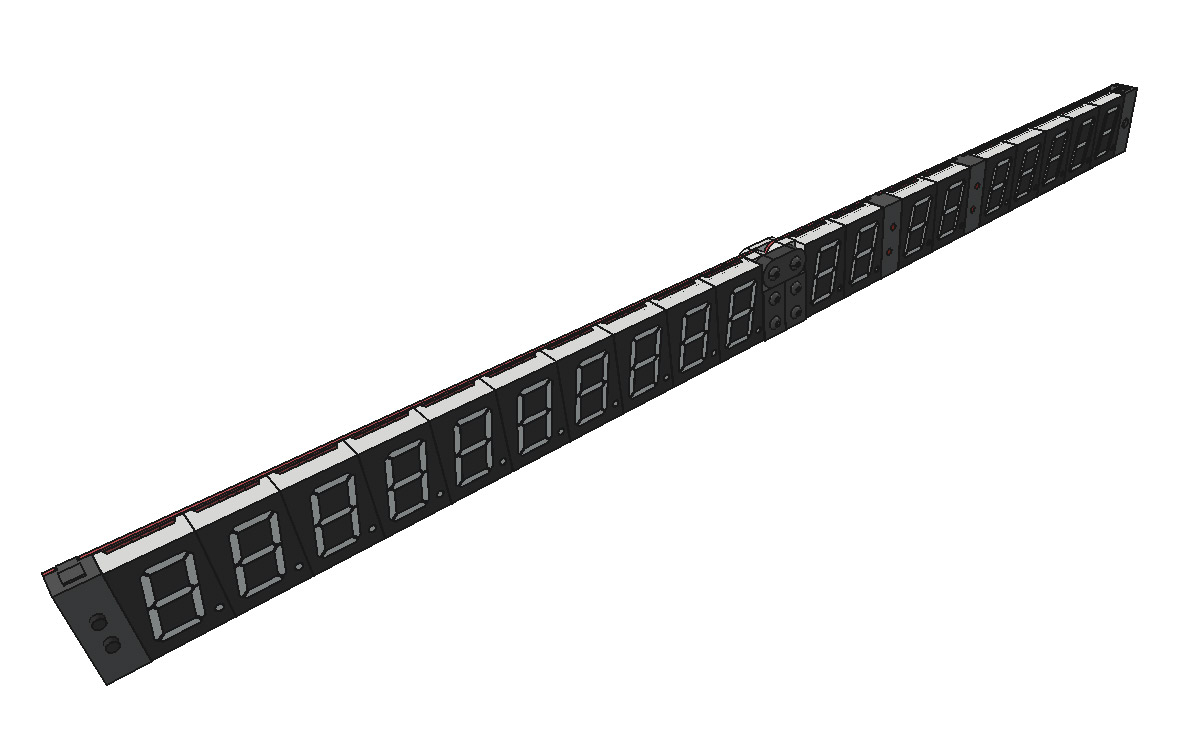
It's possible to work it by alternately grabbing the different pieces, so I guess it's technically functional. Ideally we could set a driver so the two joints are always proportional to each other. I couldn't figure out how to do that, but I was able to create a simulation and enter formulas for each joint ( time*pi/2 etc) and then drag the animation frame to fold and unfold the clock.
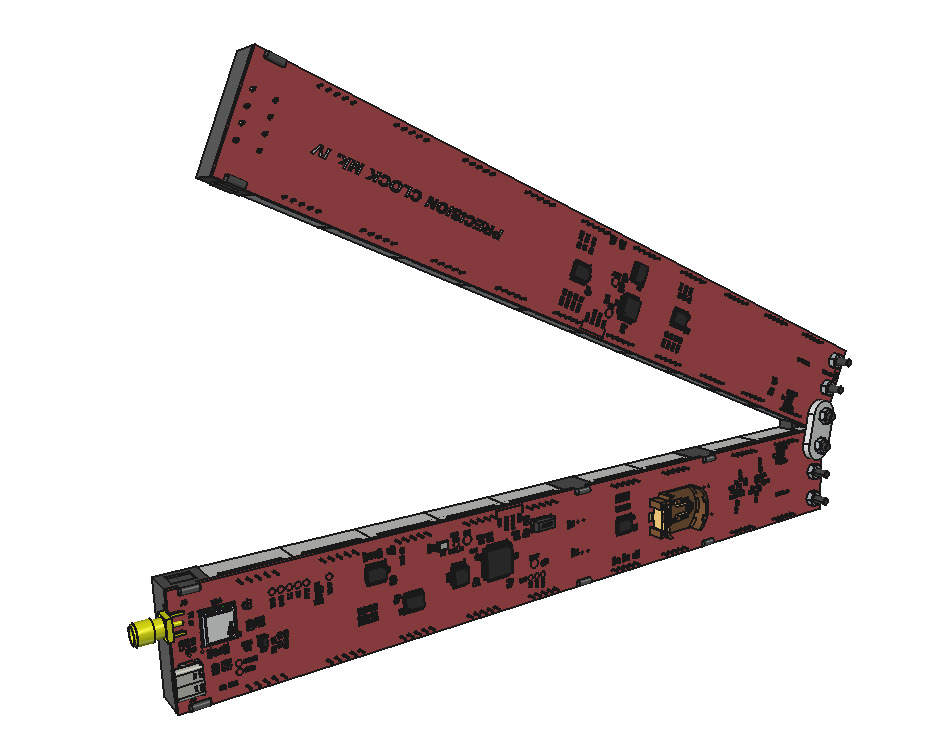
The simulation stuff is all new to FreeCAD, so I can't be too critical. Mostly I think the user interface could do with a lot of improvement. Even dragging the slider for the simulation seems to jump around erratically. I would advise the developers to steal as much as they can from Blender, where these problems have all been solved already.
Reapproach
Unsatisfied, I screenshotted the front of the model, and whipped up a javascript demo where you could fold and unfold the clock in a pleasingly gentle way. At this point, the obvious next step was to illuminate the digits.
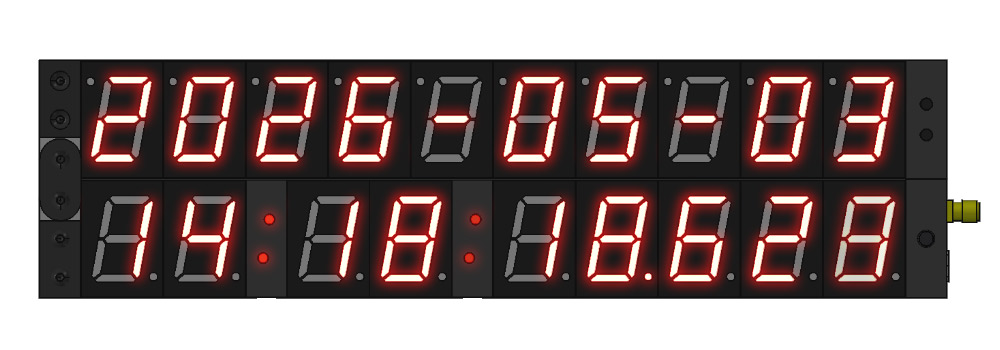
Before I knew it I'd reimplemented most of the modes of the clock. It would be lovely if we could simulate the real hardware and run the exact same firmware image, but that would be loads of work. Instead we can rely on javascript's delightful Date object, and recalculate the whole display every frame.

The digit brightness is tricky to get right. Cameras have a hard time coping with the LEDs, and tend to burn out as they get brighter, going from a deep red to orange and eventually white as they blow out the exposure. We can approximate this using glow and various blend modes.
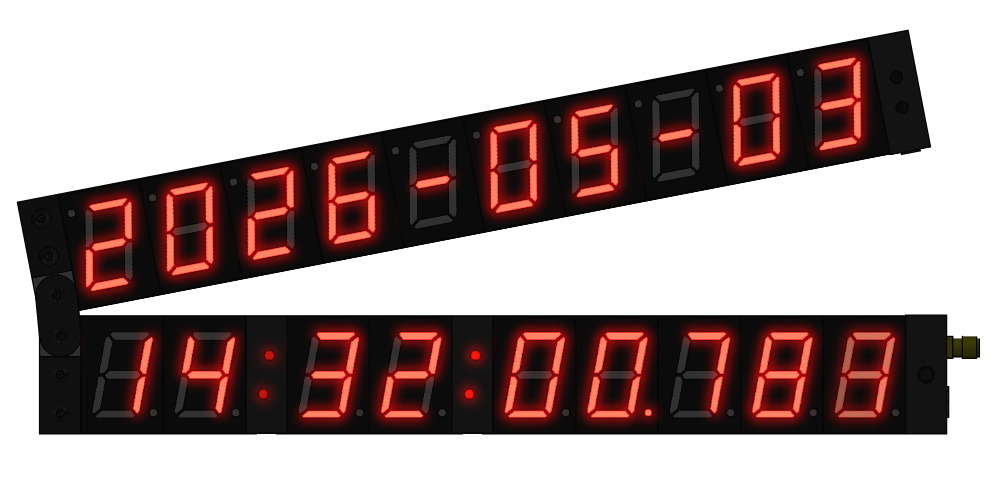
The real clock blends the millisecond digit into a weighted blur. My attempt to recreate this doesn't quite capture the effect but it's better than a solid 8.
Naturally, clicking the two buttons on the end should change modes. To my surprise this is much easier than it used to be, as JS now has native matrix support. We've translated, rotated and scaled the canvas to draw the date half of the clock. We grab that matrix with a dateTm = ctx.getTransform(), and then in the onclick event, we simply invert the matrix and apply it to the mouse coordinates.
let {x,y} = dateTm.inverse().transformPoint(new DOMPointReadOnly(e.clientX,e.clientY))
x and y are now the coordinates of where we clicked on the date side of the clock, regardless of hinge angle or clock position or zoom.
Unlike the real clock, the date side updates instantaneously, rather than synced to the UTC second. The only mode affected by this is Modified Julian Date. I guess the problem with desktop software is that we have near-infinite processing power available. It would be more efficient to only recalculate the date once per second but there's just no incentive here.
Grab the time
Something really tickles me about a toy Precision Clock that's not at all accurate. The milliseconds digits racing away for no reason, joyous.My desktop's time source is good enough that you can't really spot the lag between the toy and the real thing. But when I loaded it up on my phone, it was jarring to see a difference of more than two whole seconds. I don't know for sure how smartphones set the time, obviously they're capable of NTP, and they have freakin' GPS receivers, and yet I wouldn't be surprised if this is just listening to NITZ or its LTE/5G descendants.
I should stop here, as it's a slippery slope, but, we could sync to the webserver. It is not a timeserver, it is a shared PHP webhost running apache, but even basic NTP means it's usually well within a second. To synchronise, we need to poll it a few times and figure out the lag. The encrypted connection (TLS) adds a lot of asymmetry to the times so this will never be that great, but if we poll repeatedly and eliminate the outliers the results seem pretty consistent.
On the PHP side, we just have a single line that echoes $_SERVER['REQUEST_TIME_FLOAT'].
My cheap approach to eliminating outliers is to sort by ping time, and discard the slowest few. The first poll nearly always takes longer as there's sometimes extra DNS lookup and handshaking. Running this, my phone showed the time to within about 100ms. A perfect place to stop...
Actual NTP has four timestamps, here we only have three. I did a brief experiment with a PHP script that outputs the difference between "request time" and the output of microtime(), which usually was a fraction of a millisecond, but sometimes as much as five milliseconds. The request time is the moment control is handed to the PHP script, which is not necessarily the middle of the request. I later measured a systematic offset of about 4ms, so I just adjusted the result by that, but it's not clear if that offset would be different when pinging it from a different country. This is all way beyond our expected accuracy anyway.
On my machine here, I'm running Chrony which synchronises to cloudflare's timeservers every 65 seconds, so I'm reasonably confident about it. There is actually a protocol and tool we can use to measure the time difference between machines, clockdiff (part of iputils) which sends and receives ICMP Timestamp messages.
Running clockdiff against mitxela.com consistently reported around a millisecond total error between it and my machine, which is as good as we can hope for (they are, to be fair, across the Atlantic from each other). Unfortunately it's not that simple, as the front-facing machine which does the TLS handshake is only a reverse proxy in front of the server that runs PHP.
The reverse proxy has very good timekeeping, the other machines less so. Some of them have publicly routable IPs that respond to clockdiff in the ranges of up to 50ms. Evidently they are syncing to NTP once an hour, as the offset is lowest in the few minutes past the hour.
The ideal solution here would be to run NTP in the browser, which just isn't possible. Failing that, we could host the page on a different server with accurate time. But the possibility of proxying NTP via the webserver, one of those ideas so dumb it might just work, really bristled my thistle.
NTP is a very simple protocol, just a single UDP packet and a response. You can leave nearly all the fields blank. It is only a few lines of PHP to open a socket and read the response, so by polling cloudflare's time servers and feeding the result back to the browser I was able get the two timestamps (local time, and the proxied NTP time) to agree within 2ms, despite a transatlantic ping of over 100ms.
What a win! But I am terribly scared of abusing NTP, even once per minute seems a bit much and publicly exposing an NTP proxy would be ripe for abuse and no doubt annoy my lovely web host. My compromise is to cache the offset between the webserver's clock and the reported NTP time, and then rate limit how often it refreshes. The only downside is that near the top of the hour, when the offset adjusts, the accuracy will suffer a bit.
There is a temptation to try and correct further, knowing the characteristics of the offset. It slowly drifts up to about 55ms throughout the hour, then corrects linearly over about two minutes. But this is highly variable, it could be completely different on a different day, or when the server is updated. Besides, we should focus on some much bigger effects first.
Keep the time
Before we worry about milliseconds, remember that 60FPS means a frame length of 16.7ms, so we'll never be able to display the time to a better tolerance than that.My laptop has a 120Hz monitor, but interestingly, it still seems to call requestAnimationFrame at only 60Hz.
Furthermore for security reasons the timing accuracy of javascript is hobbled, with timestamps normally rounded to the nearest millisecond, but sometimes the nearest 100ms.
More problems arise when we think about keeping it synchronised. If my laptop has been asleep, its internal clock may have drifted, so when I open it and load up the virtual precision clock, it polls the webserver, works out the laptop's time offset and shows the correct time. But then after a few minutes my laptop's NTP daemon kicks in and corrects itself: now the offset has changed, so the displayed time is wrong.
There is a specific API to avoid problems around this, performance.timeOrigin and performance.now(). These work in the unique time frame of the browser tab, guaranteed not to suddenly jump. Unfortunately, this still isn't sufficient. According to the spec, it should monotonically increase at one millisecond per millisecond, but most browsers/platforms have implemented it poorly, for instance, if you put a laptop to sleep, when woken, it may resume from where it last was.
The only solution is to monitor both references and check for drift between them, resynchronising to the server when the drift is more than a threshold. The resulting logic is quite a mess, but successfully triggers a re-sync when the machine is brought out of sleep.
Show the time
Comparing the display to a genuine precision clock, we can see that there's still the systematic offset of the display lag. I tried on a few different monitors and devices, and initially the lag was in the region of 60 to 75ms.requestAnimationFrame provides a timestamp for the previous frame. If we average the time between timestamps, we can know the frame length, and add that to the timestamp to estimate when the next frame will be. That still leaves us about 40-50ms short. Even running this on a "gaming" monitor with low lag still left us plenty short. My conclusion is that there's an additional two frame delay as part of the rendering process, how the browser and desktop and operating system orchestrate sending video output. This needs more experimentation on different systems, but the two extra frames seemed present even when running it on my phone.In the end I set the frame forward delay as four (one to reach the next animation timestamp, two for OS/framebuffer reasons, and one to compensate for monitor delay). Filming the virtual clock next to the real one at 1000FPS, they now consistently agree within one frame, at least on the three systems I've tested.
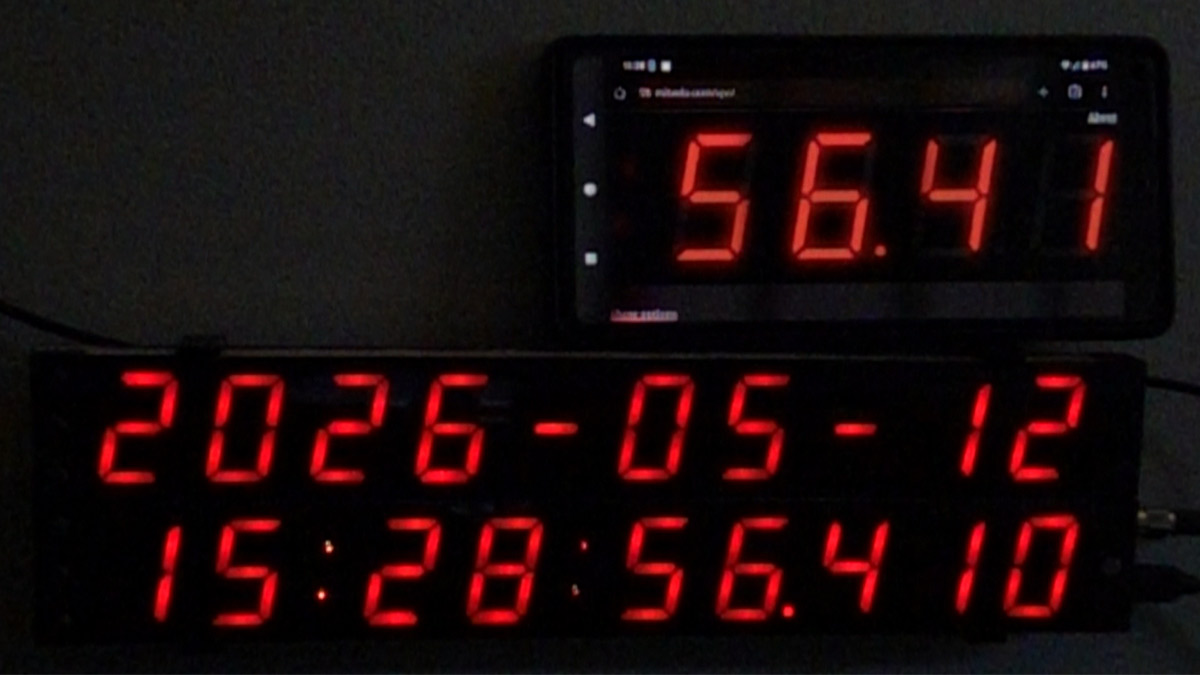
It's pretty cool that we're able to do that, synced over wifi to a server in the US, via a PHP intermediary. The phone has horrific rolling shutter, it takes a full ~17ms to update the display, and at the rollover each part of the image updates progressively.
Complain about the time
To my dismay, browser implementations ofperformance.now() turn out to be even worse than the bugs listed on MDN. The entire purpose of the Performance API is to provide a monotonic clock, not affected by changes in the system clock time. If we take the difference between the Performance API's time and the Date object, we can work out the drift. If the system clock changes, the drift should be obvious.In practice, it just isn't shown. In both Firefox and Chromium on Linux, I can have my system clock off by half a second, then synchronise to NTP, and the reported drift is approximately the same before and after.
Reading the spec there is a suggestion that clock drift is a source of entropy that can be used for fingerprinting. When Chrony adjusts the system time, it doesn't jump wildly, it smoothly corrects (slightly changing the length of a millisecond for the next n milliseconds) so the clock remains monotonic throughout the adjustment.
As a result it's basically impossible, with browsers as they are now, to know if the time we're displaying is valid. The only option is to resync periodically. For now I just added the option to resync by double-clicking the stats box.
Conclusion
I'll reiterate that this is a toy and not to be trusted. If you want accurate time there are much better ways to get it – it'd be insane to rely on this as an accurate clock.If we hosted this on a stratum-1 time server it would be a lot less silly. If we left the PHP environment, we could sync using websockets, or even WebRTC, which allows you escape the reliability of TCP to get lower latency. If you're interested, I previously wasted a lot of my time getting two machines to sync over WebRTC in my other toy, WebRTC Pong. It has rollback netcode!
Perhaps we should have the virtual clock use the full 3D model, but it's quite complex, so a mesh of it is going to be huge. I could maybe make a simplified 3D model, some rough cuboids with textures on the faces. I can just imagine users crying out to be able to rotate the clock in 3D. Delightfully, clicking on the buttons would not get any harder, we just invert the 3D matrix!
Profiling the thing, it seems a lot of time is spent drawing to the canvas. I cached the various segment combinations to speed it up, but maybe bigger gains could be had from using WebGL. I am not sure exactly how much hardware acceleration is applied to canvas drawImage(). I imagine the heavy bit is the blending, so we could cache further by rendering each digit onto the background image, and draw without needing to blend. This would need to be re-cached every time you change brightness.
I may continue to fiddle and tweak some more, if the enthusiasm holds. You can find the source code on github.